Hardware Functionality Check
The hardware functionality check, also known as the self-test function, is designed to verify all features of an TRION module and perform a complex analog accuracy check. This function is particularly useful for critical measurements, as it can be conducted both before and after the measurement to ensure that the hardware is functioning properly throughout.
To initiate a self-test, select the measurement system and click either on “Enclosure” to test the entire hardware or select a single slot. Then, click on the “Self Test” button in the menu bar or via the right-click menu. This will launch the Self-Test window, as shown in Fig. 12 . This tool offers several different functions, described below. Additional module-dependent functionalities can be found in the TRION series module manual.
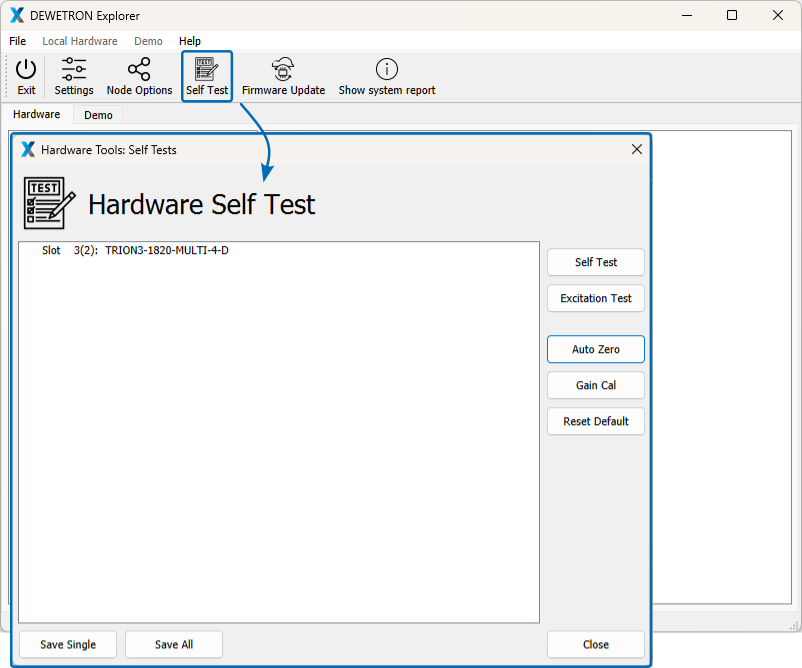
Fig. 12 Self Test menu showcasing its available functions.
Self test
The “Self Test” function is based on an integrated self test circuit of the selected TRION module. Overall, the function is designed to verify all features of the board. However, depending on the module, the scope and complexity of the test may vary substantially. For detailed information, refer to the respective module in the TRION modules reference document. An example for a successfully completed self test is displayed in the left panel of Fig. 13 .
Excitation Test
This function applies 1 V and 5 V to the excitation terminals. By reading back the excitation with the input amplifier, it checks if the excitation circuit is working correctly. For correct execution, no load (devices, sensors, etc.) must be connected. Note that the “Excitation Test” is only applicable to TRION(3) MULTI modules.
Auto Zero
The “Auto Zero” or “Amplifier Balance” function eliminates automatically all internal amplifier offsets. It switches the differential amplifier inputs IN+ and IN- to the internal GND reference point. Consequently the offset of the module is adjusted to zero for all ranges. This function can take up to 4 seconds. It allows compensating the long term zero drift, as well as temperature drifts of the amplifier. The determined offset correction values are stored in the user memory section of the EE-Prom. An example for a successfully completed “Auto Zero” function is displayed in the middle panel of Fig. 13 .
Gain Cal
The “Gain cal” function is an adjustment function. It applies the internal calibration source to all channels. The measured error is used as a calibration factor for correcting the measurements. These correction factors are stored in the user memory section of the EE-Prom. An example for a successfully completed “Gain Cal” function is displayed in the right panel of Fig. 13.
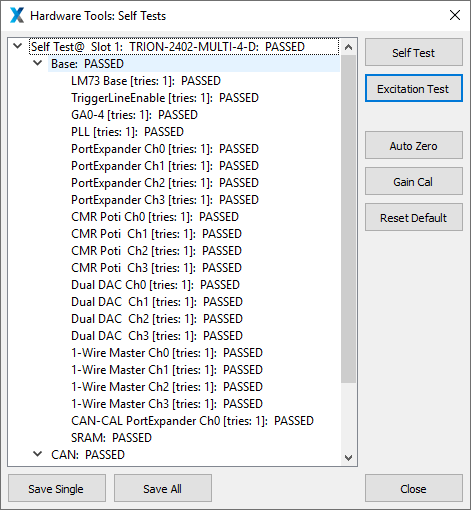
Fig. 13 Successful hardware functionality test of a TRION-1620-ACC-6-BNC: Self Test
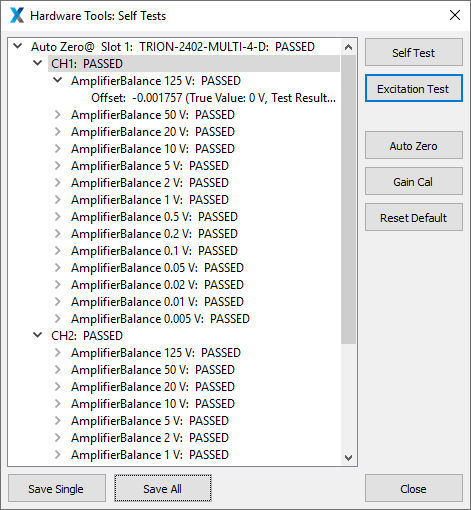
Fig. 14 Successful hardware functionality test of a TRION-1620-ACC-6-BNC: Auto Zero
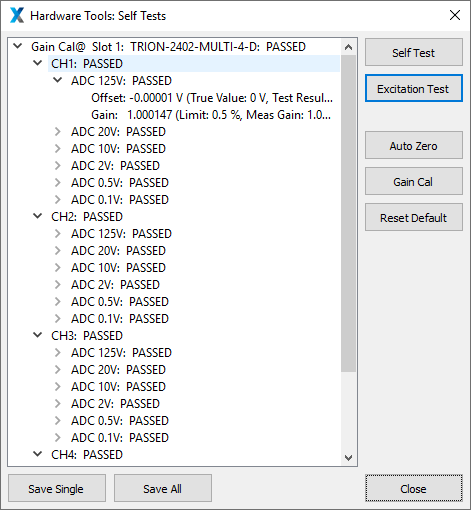
Fig. 15 Successful hardware functionality test of a TRION-1620-ACC-6-BNC: Gain Cal
Reset Default
This function clears all correction values stored in the user memory and resets them to default values.
Save Single / Save All
These options allow you to store either a single or all test results in an .XML file on the internal HDD.