Troubleshooting / Tipps
Realtime power option not available
OXYGEN Power realtime requires a seperate license but is available with an evaluation license. Realtime computations are not supported on Microsoft Windows. See chapter Setting up OXYGEN on how to enable and set up the Realtime computations.
Only TRION hardware channels are valid for realtime calculations
The power group realtime calculations require TRION hardware channels and cannot work with software or network-transmitted channels.
This means also for efficiency calculations only hardware channels can be computed.
Otherwise following warning occurs Incompatible … channels for realtime calculation.
Replacing the counter speed channel by the scaled frequency channel
Usually the speed channel of the counter channels is used for the mechanical efficiency calculation. This speed channel is a calculated (software) channel and thus the realtime calculation cannot access it.
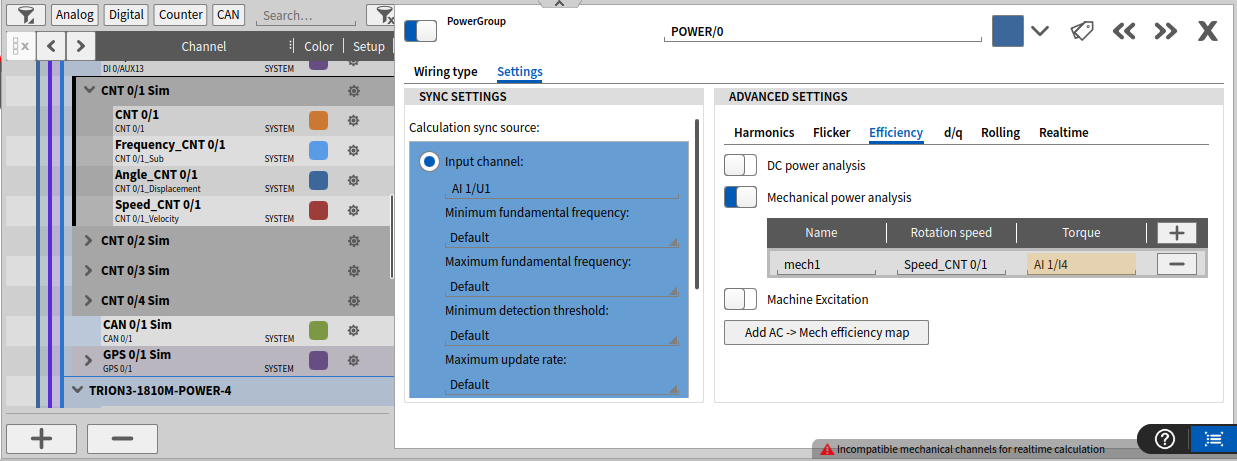
Fig. 15 Mechanical efficiency with software channels.
The solution is to use the hardware channels of the counter. This means scaling the CNT channel to represent rpm. See the configuration in the application example figure Fig. 13.
Fundmental Frequency not detected correctly
Detecting the fundamental power frequency works a bit differently for the Realtime and Conventional Power Calculation because the convential FFT method would create a too large delay. If the fundamental frequency seems too large (jumping to inverter switching frequency for example) or not showing any values at all, try the follwing:
Set the Maximimum fundmental frequency in the Calculation sync source settings of the Power group to about 2-10 times the maximum expected fundemental frequency of the duplication
Set the Minimum detection threshold in the Calculation sync source settings of the Power group to a lower value, 0.01% for example
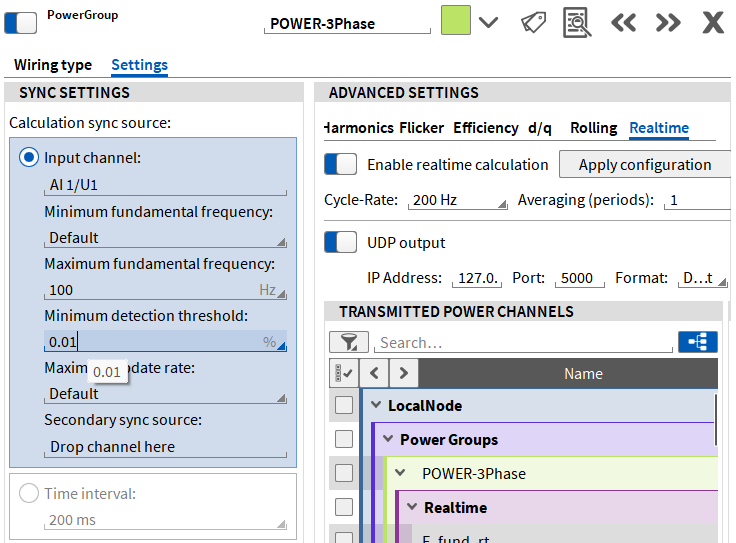
Fig. 16 Fundamental Frequency Detection Tipps.
EtherCAT slave not sending the correct channels
Make sure the EtherCAT slave board is reserved for the Realtime output, not the conventional 200ms delayed OXYGEN output. For this you can deactivate the conventional EtherCAT Slave Plugin in the Plugin Overview, then restart OXYGEN.
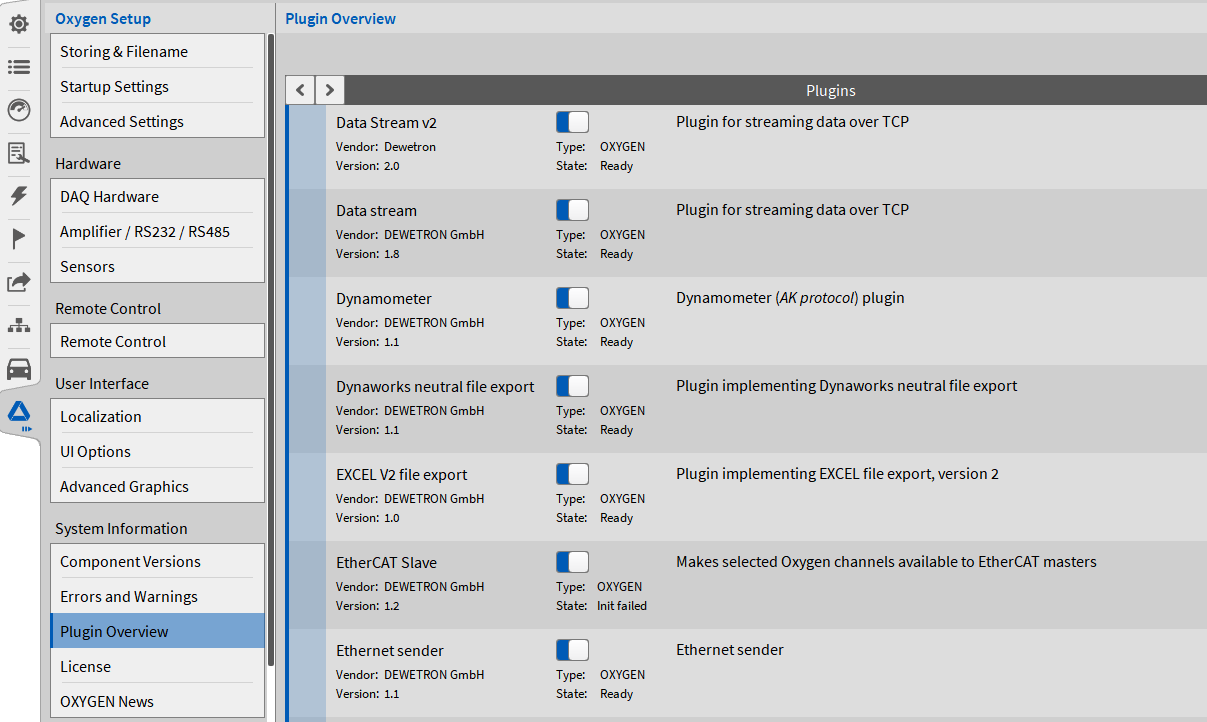
Fig. 17 EtherCAT Slave Plugin Setting.