Application Examples
Power group overview
Most basic power group channels are also calculated in the power group realtime analysis. The power instrument only shows normal power group channels and cannot display the realtime channels. Any realtime channels is available in the channel list and can be used in other instruments.
A list of available channels is listed below figure Fig. 10.
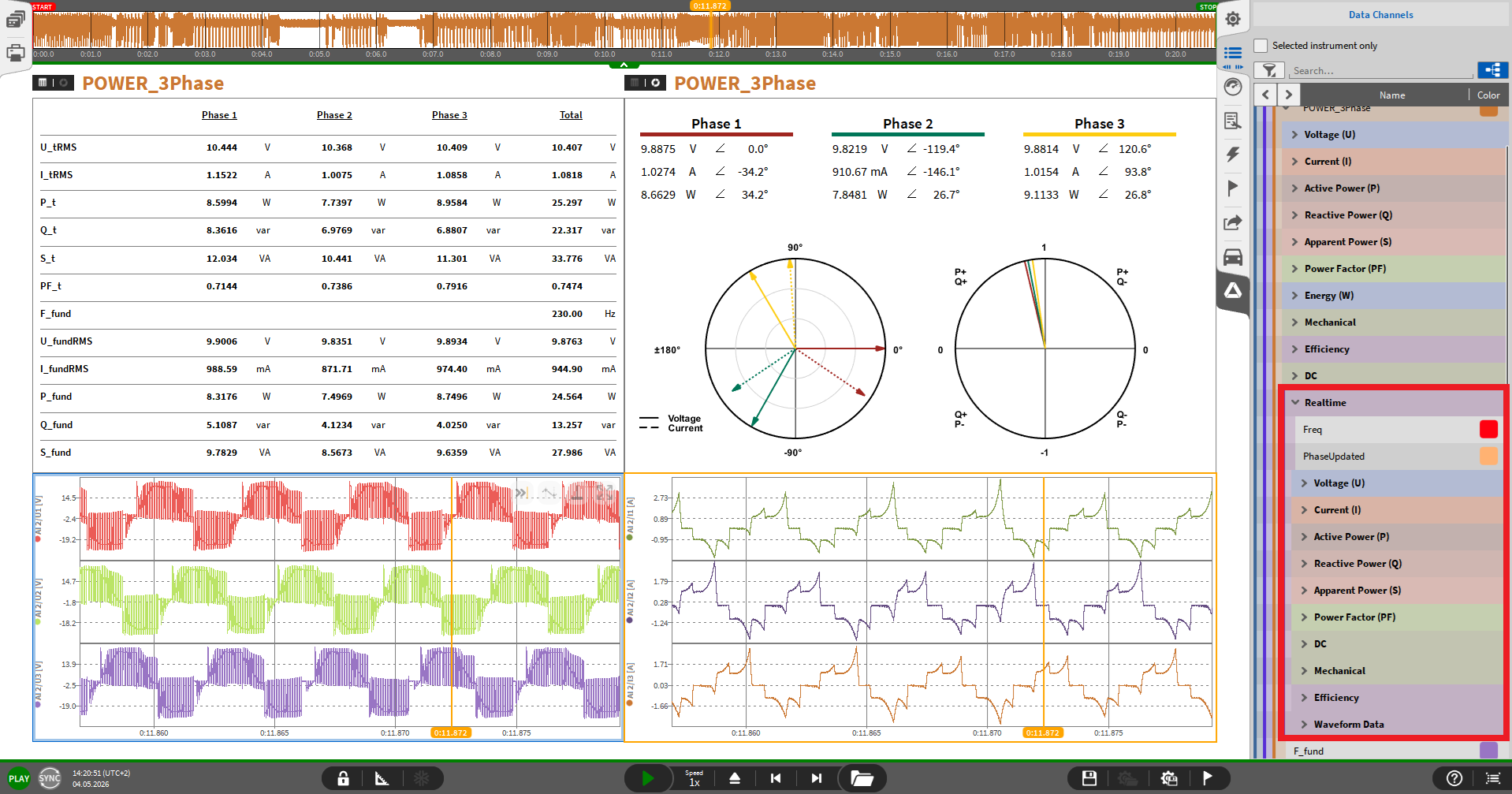
Fig. 10 Example of power group realtime channels on the measurement screen.
Setting up a 3-phase line-line power group
Figure Fig. 11 shows an example 3-phase line-line wiring. If the fundamental frequency gets detected based on the first voltage e.g. U1, the power values are calculated and can be previewed below the LOAD.
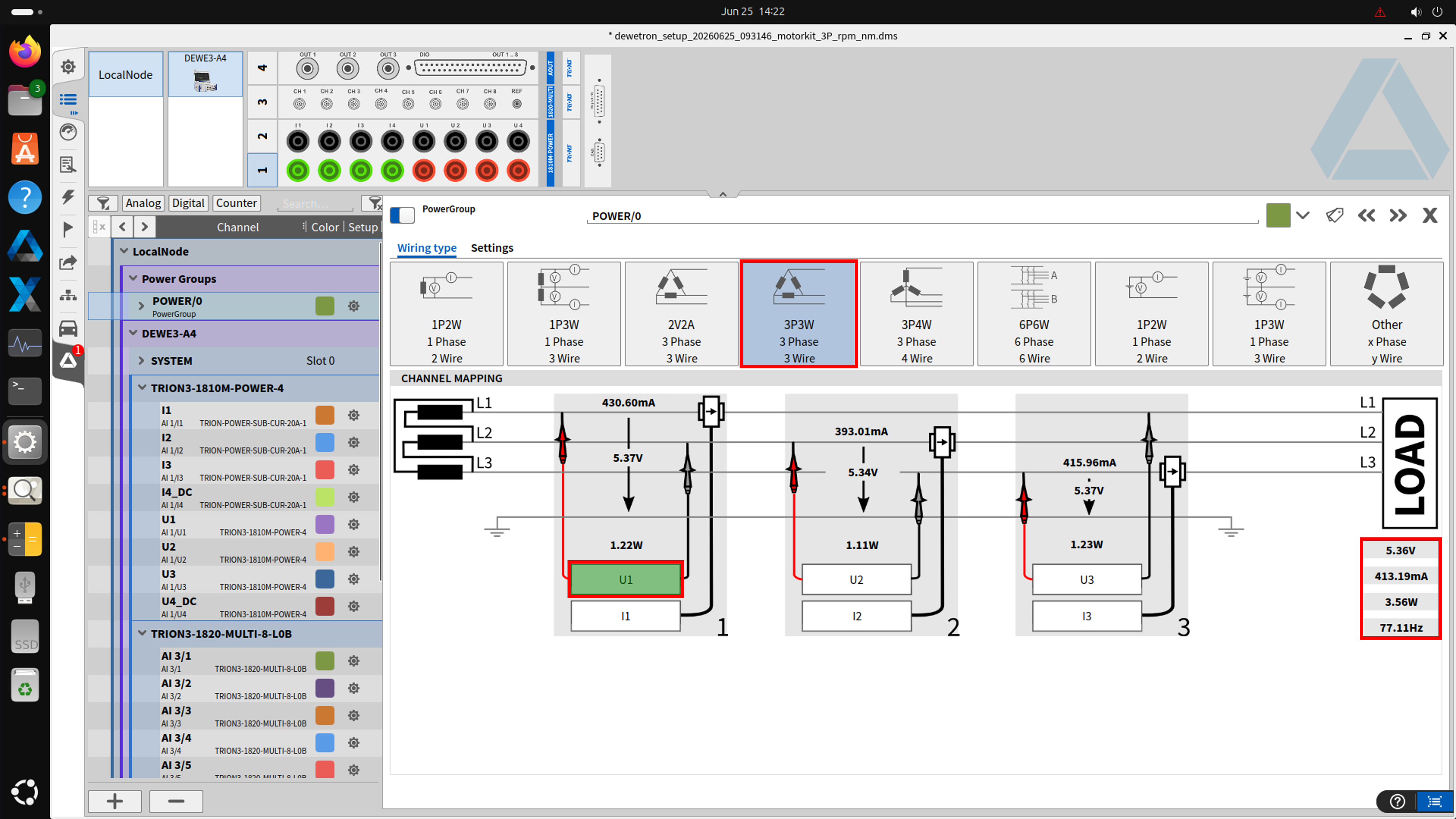
Fig. 11 Example of power group 3-phase line-line configuration
Power group settings
Efficiency tab
The first relevant tab for the power group realtime analysis is the Efficiency tab see figure Fig. 12.
DC power analysis requires an analog input for Voltage U_DC and for Current I_DC.
Create up to 6 DC power analysis and assign a DC voltage and current to each.
Mechanical analysis requires a analog input for the Rotational speed and for the Torque
Create up to 6 mechanical power analysis and assign a analog torque und speed intput to each.
Hint
The speed usually is a software channel, but for the realtime calculation a hardware input e.g. CNT 3/1 is required. The next figure Fig. 13 shows how to configure the counter input to be usable for the realtime calculation.
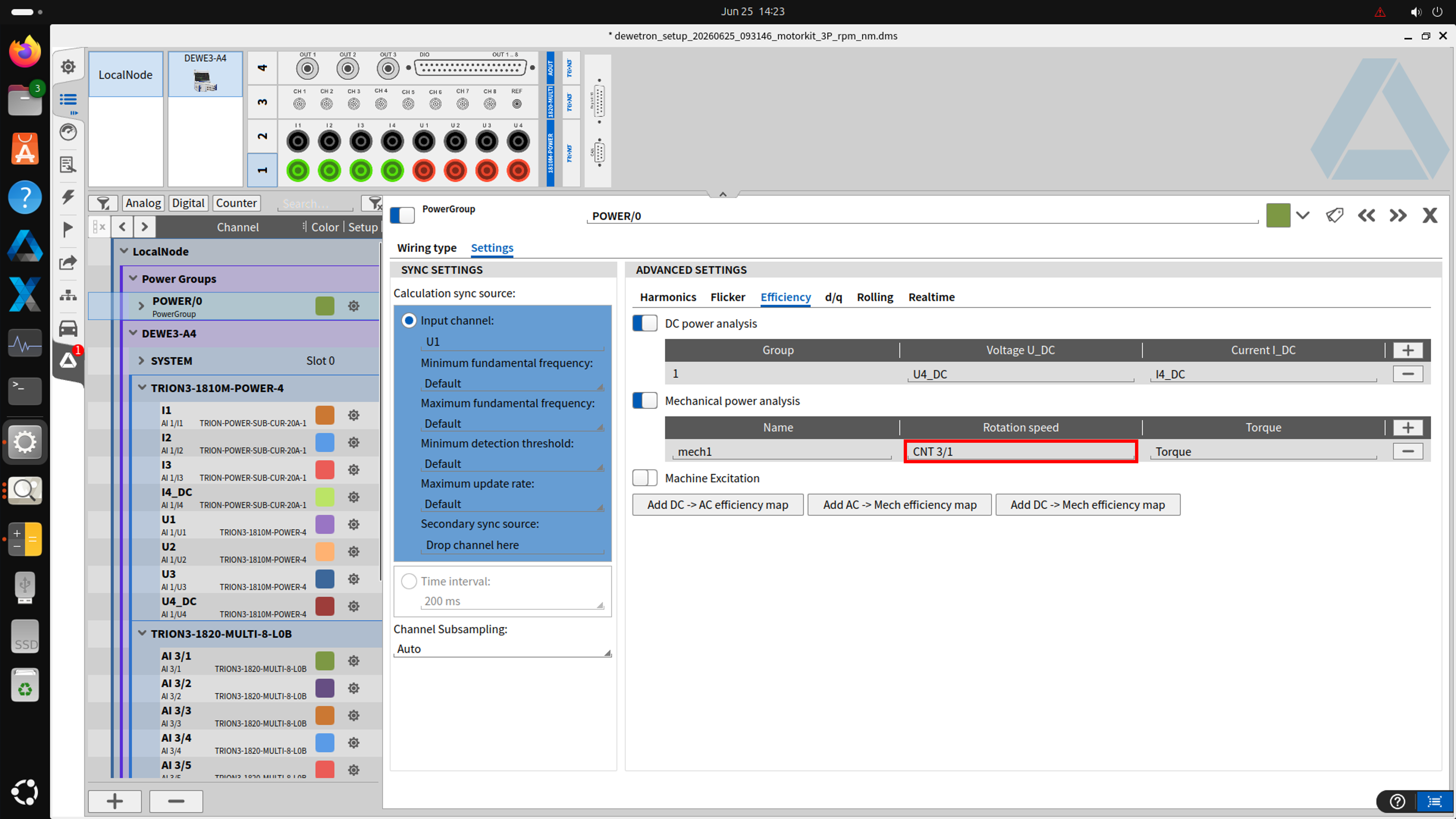
Fig. 12 Example of power group efficiency tab with DC and mechanical efficiency
Configure counter for realtime speed input
Example how to set the counter input CNT 3/1 to be usable as the power group realtime speed channel is shown in figure Fig. 13.
Change the counter mode to Frequency
Set the unit to rpm
Set the scalling to 60/(pulses per rotation), e.g. 4 pulse per rotation results in a scaling of 15.
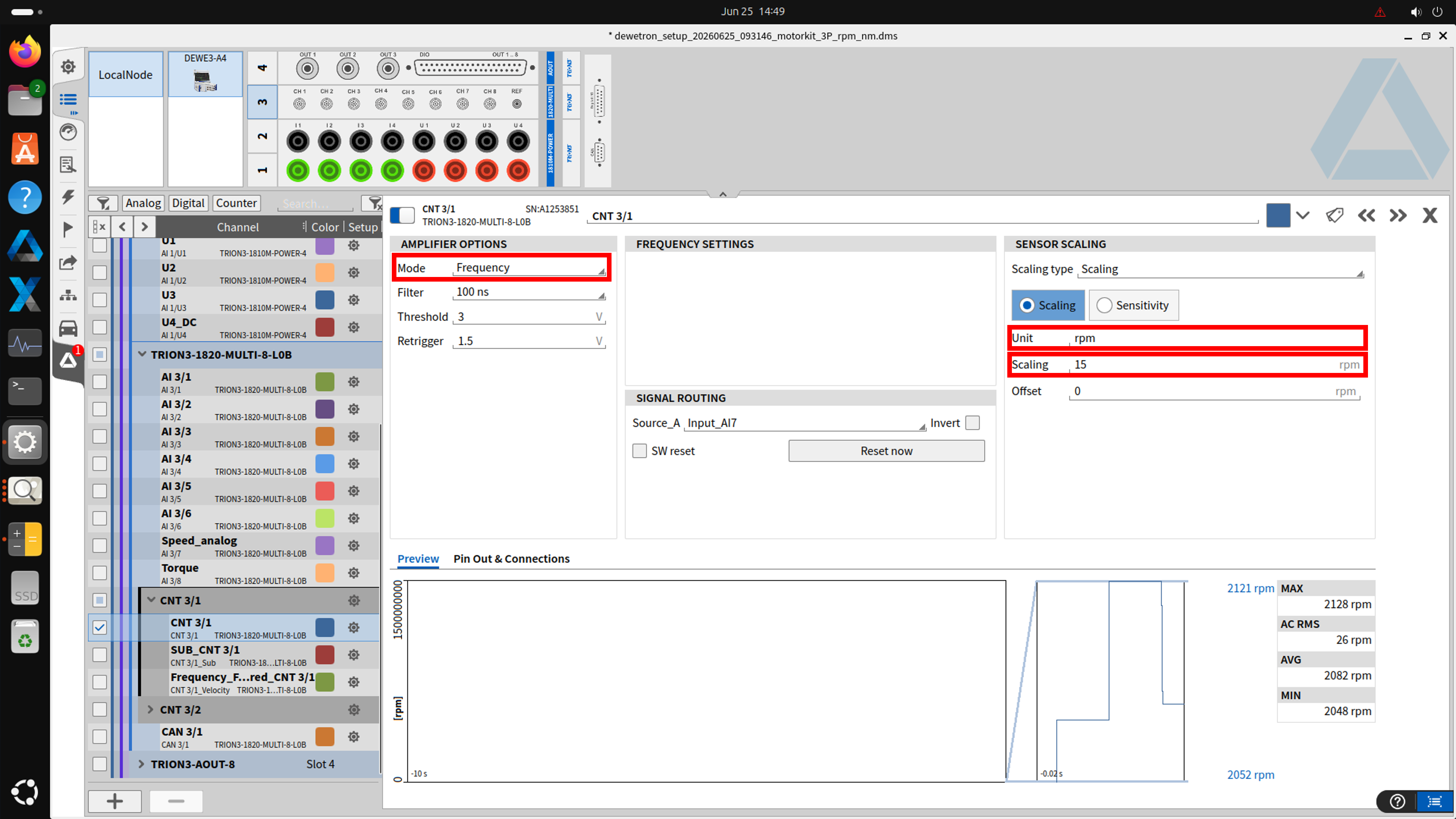
Fig. 13 Example of speed via scaled frequency channel
Realtime tab
The final tab to configure the power group realtime calculation is shown in figure Fig. 14.
With OXYGEN 8.2 and higher, the AUX channels tab enables to include some additional analog inputs in the realtime output options.
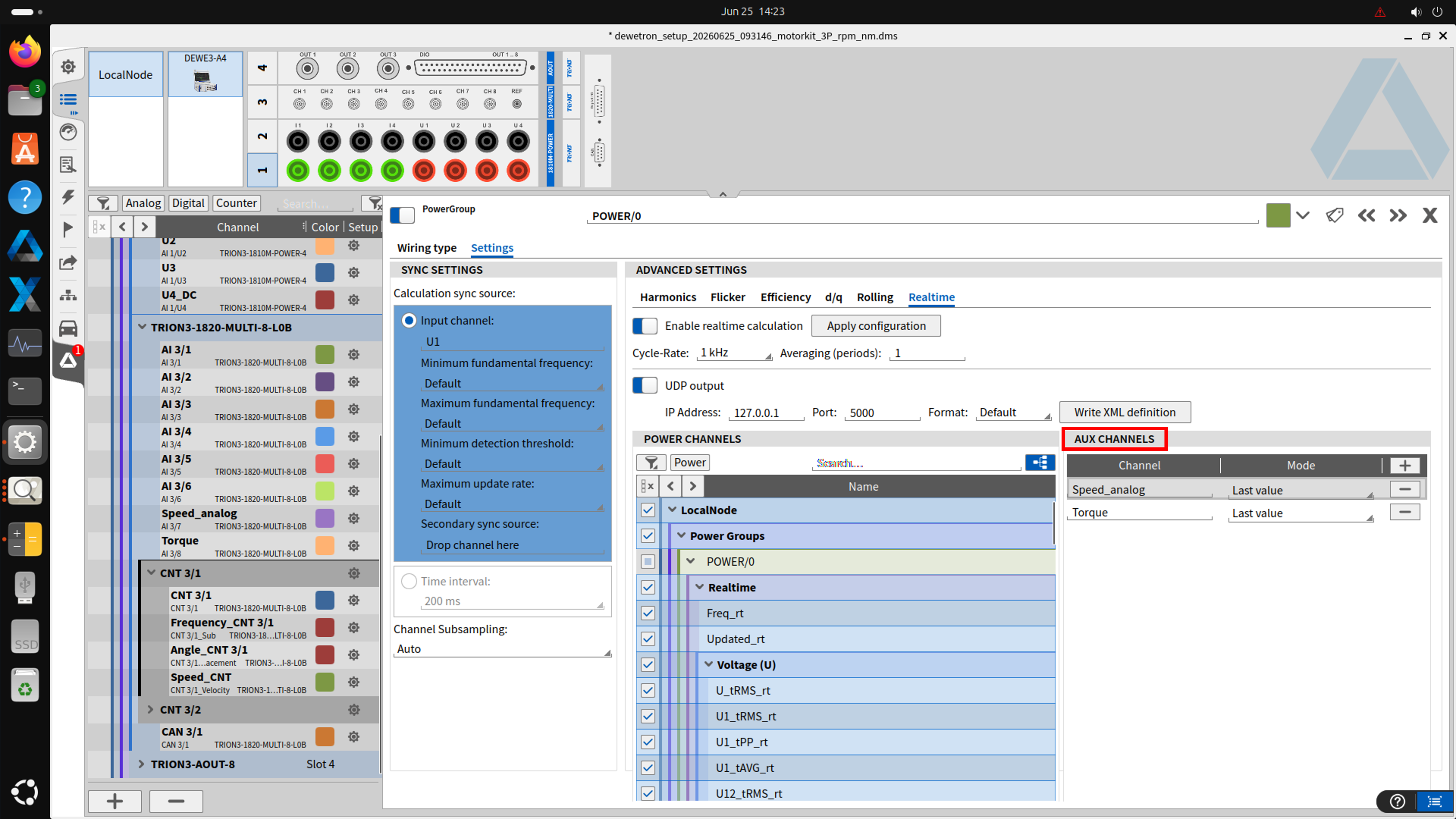
Fig. 14 Example of power group realtime tab