Resolver Configuration
This section explains how to use and configure the Resolver Plugin.
It is advised to use a high sample rate for the resolver input channels. A sampling rate 20 to 100 times higher than the excitation frequency is sufficient. A sampling rate of 1 MHz is recommended for an excitation frequency of 100 kHz.
The resolver plugin can be configured in two different modes. Mode 1 with excitation and mode 2 without excitation.
Mode 1 requires three analog signals:
Sin
Cos
Excitation
Sine and cosine must be modulated by the excitation. Envelope detection is performed in soft-ware.
Mode 2 requires two analog signals:
Sin envelope
Cos envelope
Sine and cosine must be envelopes and not be amplitude modulated by an excitation signal. Envelope detection must be done by the resolver electronics. No excitation signal is needed and should not be given to the resolver plugin.
Adding the Resolver Plugin in OXYGEN:
Start OXYGEN and open the Channel List (see yellow box in Fig. 5 )
Select three signals Sin, Cos, and Excitation analog signals (see red box in Fig. 5) or select two signals Sin Envelope, Cos Envelope
Click on the + button on the bottom left (see blue box in Fig. 5)
Click on Resolver in the Advanced Math group (see purple box in Fig. 5)
Click on the Add button (see green box in Fig. 5)
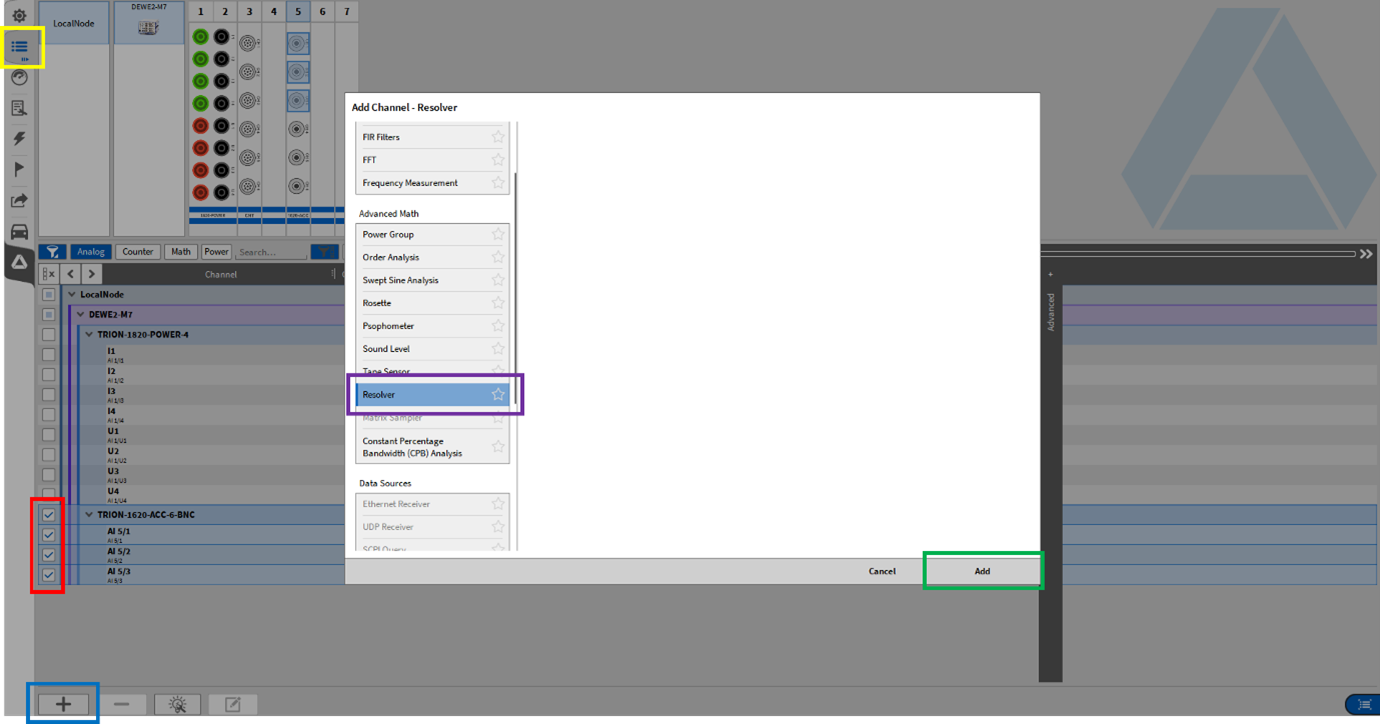
Fig. 5 Adding a Resolver in OXYGEN
The following output channels are available for the Resolver:
Angle, in degrees [0°, 360°]
Speed, in rpm
The angle channel is 0° at the zero crossing of the sine wave envelope.
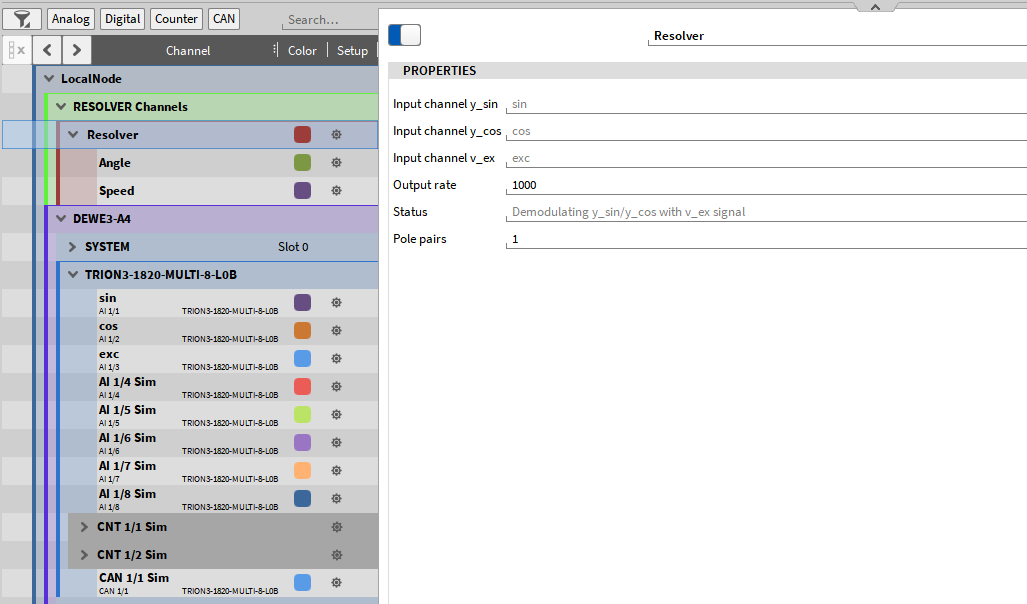
Fig. 6 Resolver Plugin properties
The Resolver Plugin has the following properties:
Input channel y_sin
Input channel y_cos
Input channel y_ex
Output rate, default: 10,000 Hz
Filter length, default: 1000 ms
Status
Pole pairs (Pole pair number of resolver)
The Filter Length parameter applies a moving-average smoothing filter to the Speed channel only with a window length of 0 to 1000 ms (default is set to 1000 ms).
The Status field indicates which mode the Resolver Plugin is currently using. The status message Demodulating y_sin/y_cos with v_ex signal indicates Mode 1. This mode requires excitation and modulated sine and cosine signals. The status message Using demodulated y_sin/y_cos signals indicates Mode 2. This mode requires sine and cosine envelope signals and no excitation. To use mode 2, leave the Input channel y_ex empty.
The following signals are expected for Mode 1 (①) and Mode 2 (②).
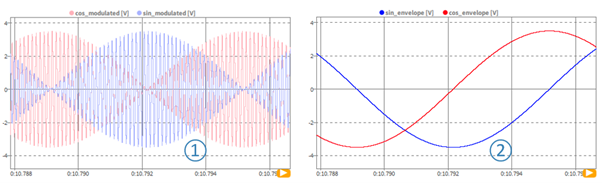
Fig. 7 Comparison of the Resolver modes