Channel Settings
After creation you can find the created OBD channels in section “OBD_Plugin channels” of the OXYGEN channel list (see Fig. 4 ). This section will explain the channel settings of the created OBD2 channels.
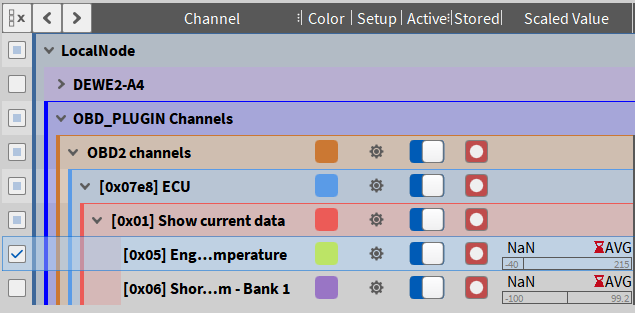
Fig. 4 Created OBD channels
Each channel can be activated/deactivated with the “Active” switch. To display the individual channel settings click on the “Setup” symbol of the channel. All individual channel settings can be saved in an OXYGEN Setup file (*.dms).
OBD2 Channels Group
All channels for a selected CAN port are summed up in “OBD2 channels” group. With this setup dialog you can change the input channel and the request timeout.
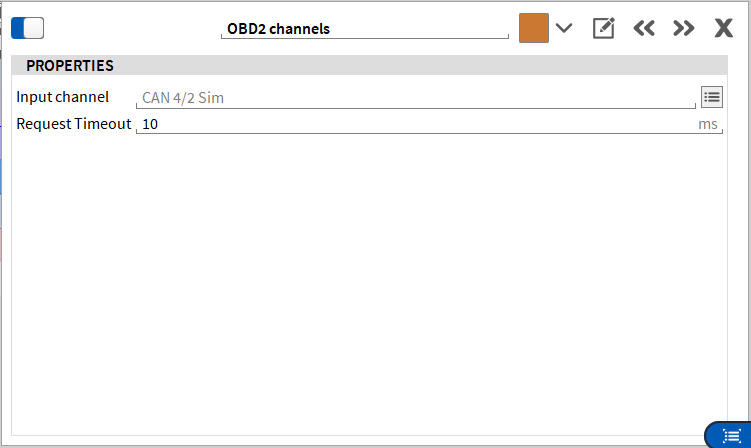
Fig. 5 OBD2 channels setup
OBD2 Signal Channel
OBD2 signal channels stores the values from an OBD parameter response. Each signal channel is as-signed to a OBD2 Parameter channel (loaded from a file or database). The signal channel name is com-posed of the hexadecimal OBD2 parameter id, the OBD2 parameter name and the name of the assigned OBD2 Parameter channel.
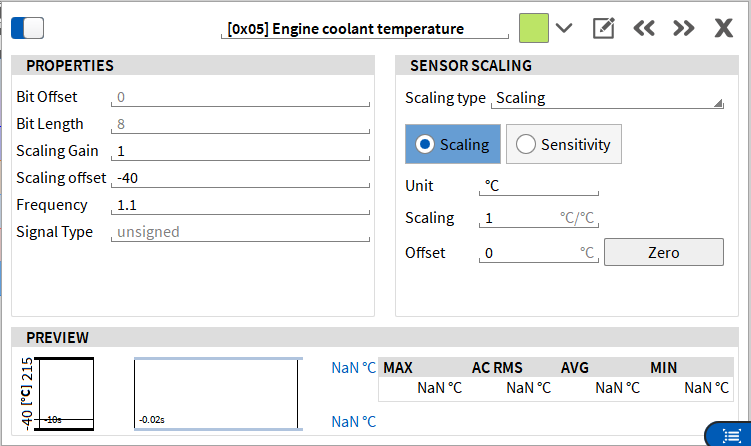
Fig. 6 Signal channel setup