Getting Started
Start OXYGEN (if not already started)
Open the channel list
Select an existing CAN port channel
Press “+” add channels
Select “OBD2” in the protocols section to get the “Add OBD2” dialog box
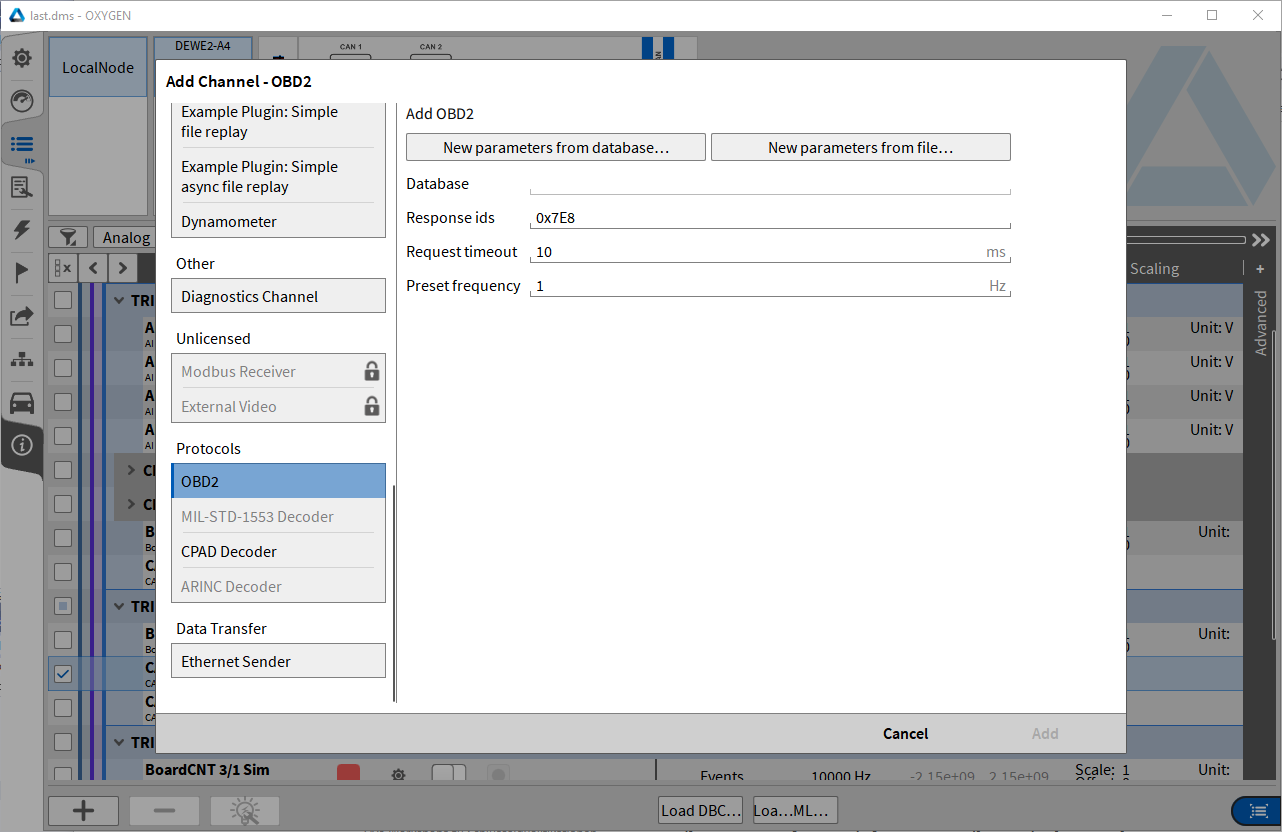
Fig. 2 Add OBD2 channel
Select one of the “New parameters …” buttons to open the “Select Channel” dialog
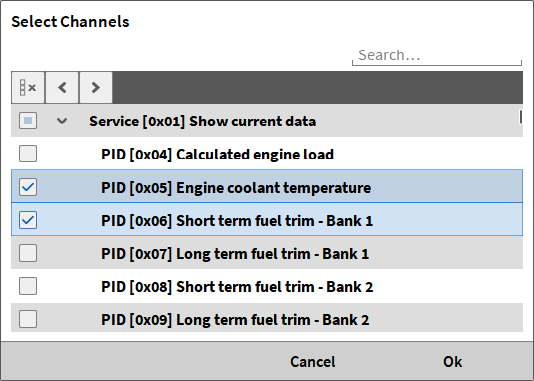
Fig. 3 Select channels dialog
Select one or more channels from the channel list and press “Ok”
Add or change predefined CAN response ids. The default parameter for the response id is “0x7E8”, which is the standard response identi-fication of a standard CAN OBD communication (11 bit). Different ECU’s can communicate with another response id. For a CAN extended communication port use a valid CAN ex-tended response id (e.g. “0x18DAF110”). OBD 2 allows the communication with multiple ECU’s to the same OBD 2 request. For this multiple response ids are allowed (“0x7E8 0x7E9”). A mix of CAN standard and extended re-sponse ids is illegal
Change the request timeout if necessary. This specifies the minimum time span in millisec-onds for requesting different OBD 2 Parameters.
Change the preset frequency if necessary. With this item you can set the frequency of se-lected OBD 2 parameters without a valid frequency attribute loaded from xml file.
Press OK.