MODBUS Client
The MODBUS Client Plugin for OXYGEN is an extension for the popular OXYGEN measurement software to read data from Modbus devices. This allows the user, to use Modbus devices as data sources.
Features:
Reading Data from Modbus TCP Devices
Support of various data types (int, float, …)
Support of different scaling modes (linear and sunspec)
Independent definition of register and endpoints for simple reuse
Per endpoint definable refresh rate
Known Limitation:
No support of RTU
Concept
TCP Endpoint: An Endpoint is a Node with a unique IP address and port an can hold one to many devices.
Device: Is the representation of a physical modbus device. It is described by its UNIT_ID.
Datatypes and scaling
The Plugin supports two different types of data scaling:
const_linear: Linear scaling with factor and offset
sunssf: Variable scaling with another register value, compatible with the sunspec scaling (INT+SF)
Constant linear scaling
Typically, the linear scaling is used for converting the binary data to physical values. Output Value = read_value * scale + offset
Example:
read_value = 2314
scale = 0.1
offset = 0
output_value = 2314 * 0.1 + 0.0 = 231.4
SunSpec scaling
Within Solar inverters, the sunssf scaling is often used. It is defined by Sunspec. In this case, a separate register is read, which holds the actual scaling value. This specific value is an ex-ponent of 10. Output Value = read_value * 10^scale_reg_val
Example:
read_value = 2314
scale_reg_val = -1
output_value = 2314 * 10^-1 = 231.4
Activate a MODBUS client
Start OXYGEN (if not already started)
Open the channel list
Press “+” add channel
Select MODBUS Receiver in the Data Input section (see in Fig. 1)
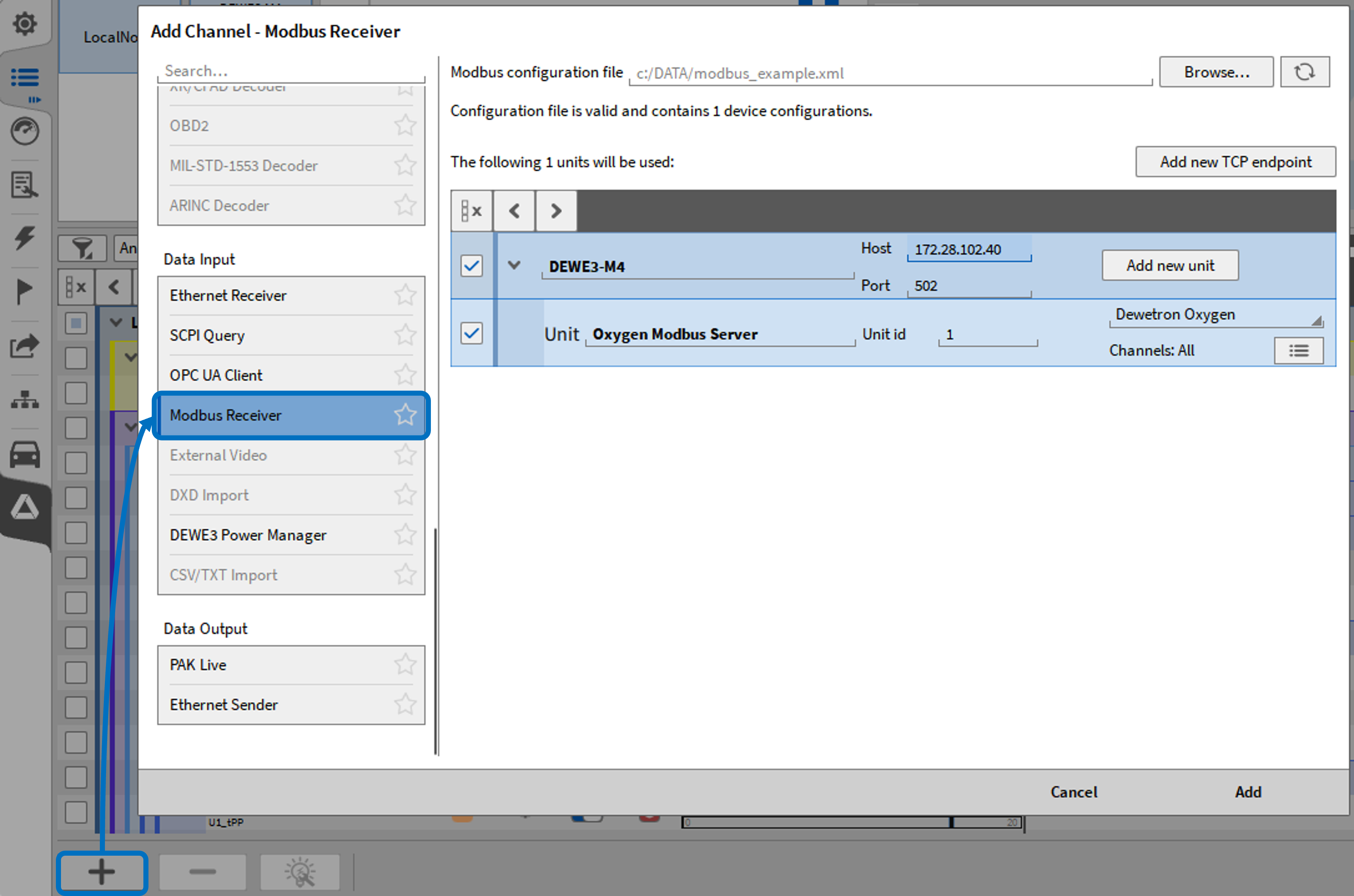
Fig. 1 Activate and MODBUS client in OXYGEN
Load a XML Document with the Device and Network description
Adapt settings if necessary (e.g. load only selected channels, change IP-address, Unit Id)
Click “Add”
The following modbus client properties (see in Fig. 2) are loaded based on the imported .xml.
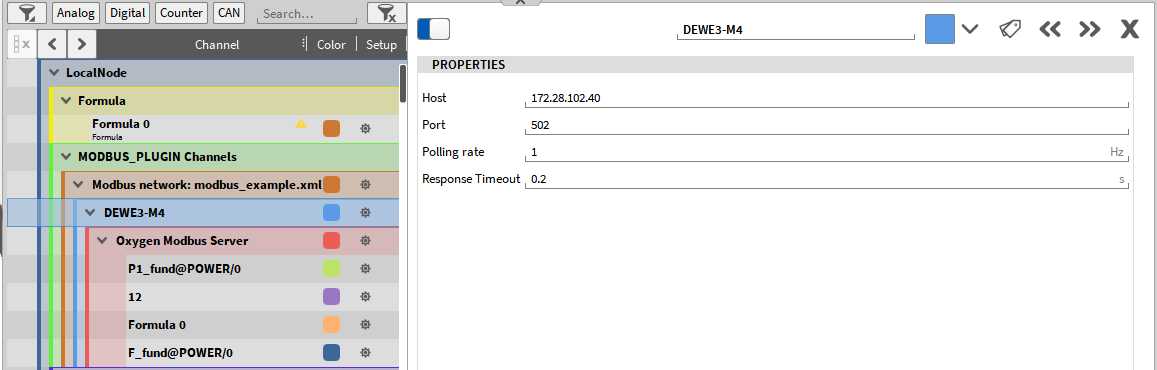
Fig. 2 Imported modbus client properties
Host IP
Port
Polling rate - polling rate of the modbus client.
Response timeout - time before a disconnect warning is triggered. Modbus: unable to connect to ‘’IP-address’’