Plugin
Setup
The Psophometer Plugin is included with every OXYGEN installation, starting with OXYGEN R3.5.1
Please note that a dedicated plugin license is required for the calculation option to be visible.
Usage
Select one or more channels as inputs for the Psophometer calculation.
Please note that input channels must have a sampling rate of 20 kHz or higher.
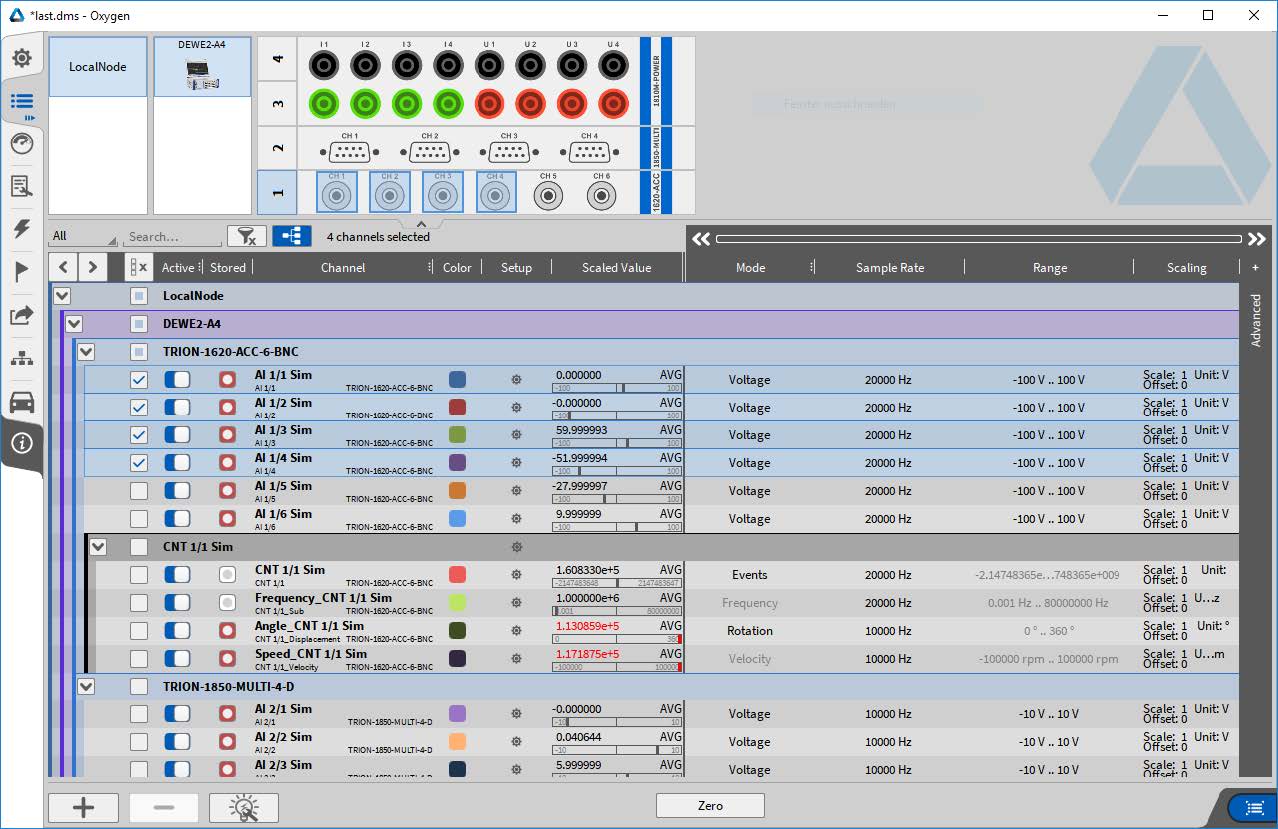
Fig. 1 Channel list with multiple selected channels
Then open the “Add Channel” dialog by pressing the plus button.
A dialog opens where the Psophometer frequency-weighting settings can be configured (see Fig. 3 ). The newly created Psophometer calculation group can be assigned a custom name.
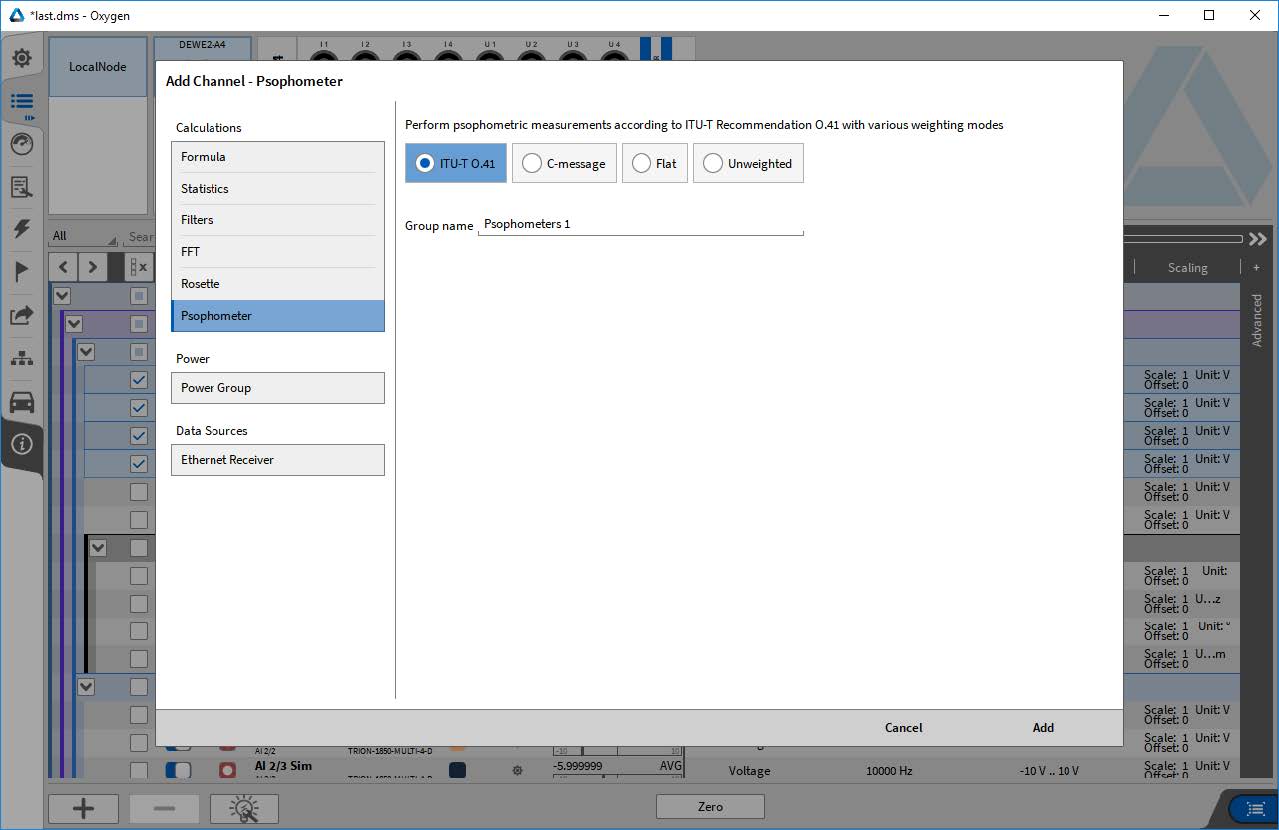
Fig. 2 Add Channel dialog showing Psophometer options
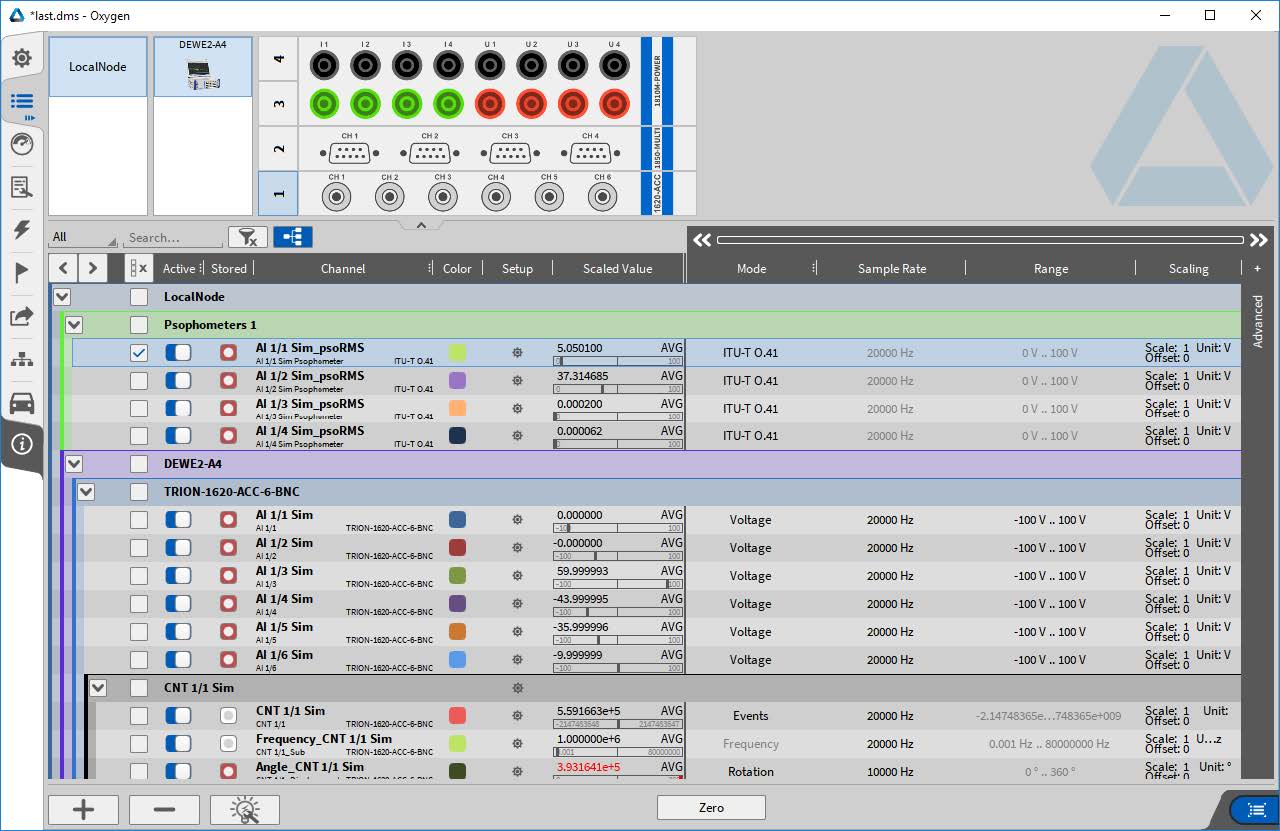
Fig. 3 Channel list showing new Psophometer calculation group
The channel details view is used to modify each channel’s settings individually and for detailed preview.
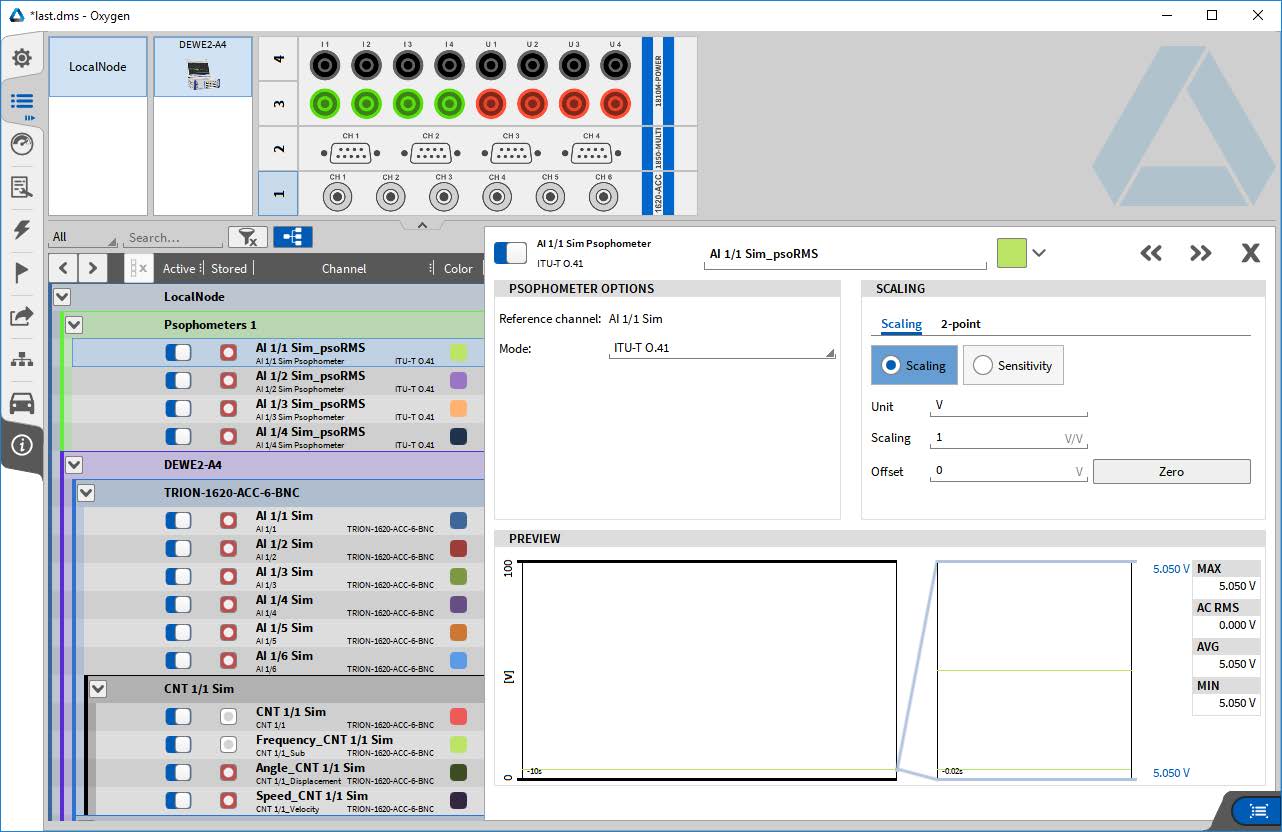
Fig. 4 Channel details setup of calculation channel
Psophometer calculations are then available as math channels.
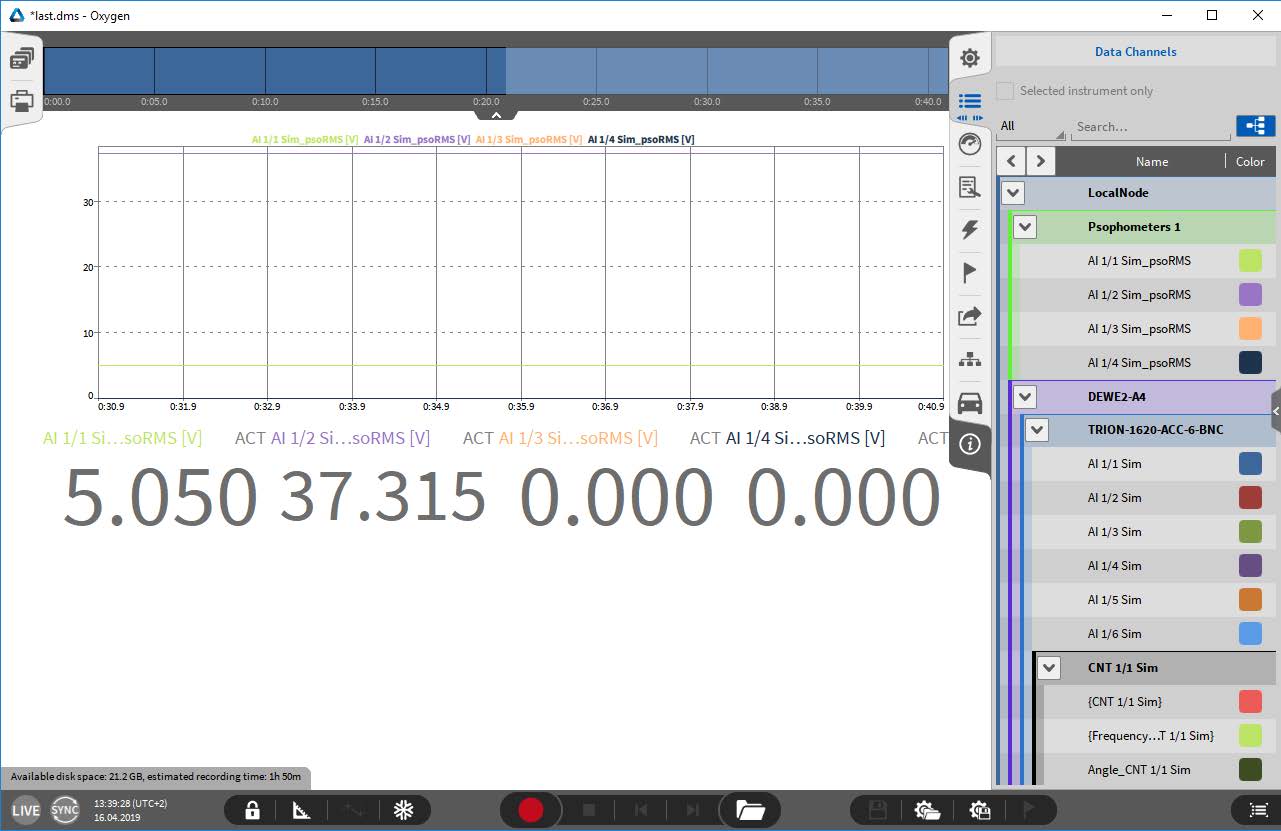
Fig. 5 Sidebar channel list showing the calculated Psophometer channels
Calculation
The calculation is based on an FFT analysis. Depending on the input sampling rate, the FFT block size is chosen to be 2ⁿ samples while the time window stays between 75 and 125 ms, to ensure compliance with the detector circuitry tests (see ITU-Recommendation O.41 (10/94) )
Sample rate |
FFT block size |
20 kHz |
2048 |
50 kHz |
4096 |
100 kHz |
8192 |
200 kHz |
16384 |
Weighting options
Different weighting options are available:
ITU-T O.41
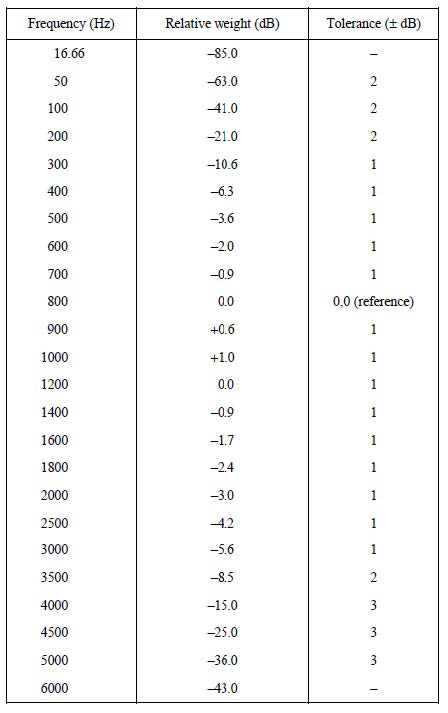
Fig. 6 Telephone circuit Psophometer weighting coefficients and limits
C-Message
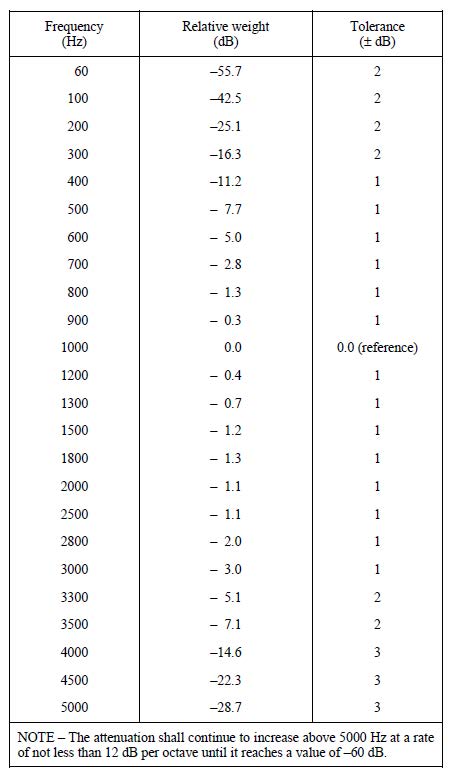
Fig. 7 C-message weighting coefficients and accuracy limits
Flat
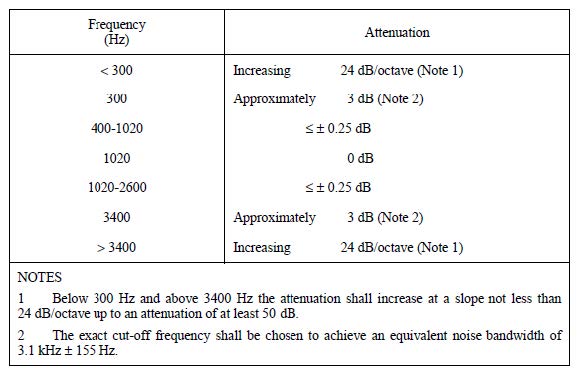
Fig. 8 Characteristics of the optional flat filter with an equivalent noise bandwidth of 3.1 kHz (bandwidth of a telephone channel)
Unweighted
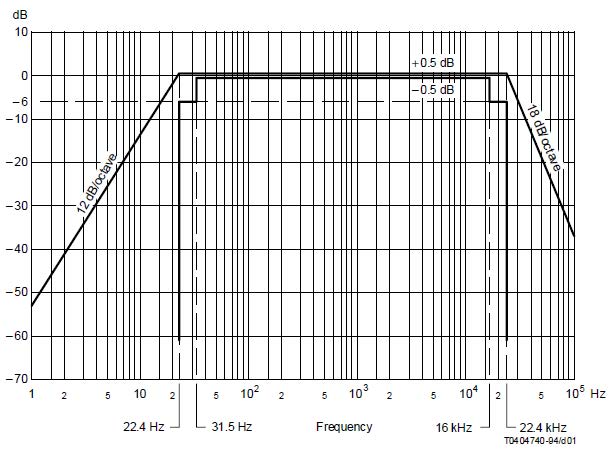
Fig. 9 Frequency response characteristics for unweighted measurements
Comparison between Psophometer and C-Message Weighting
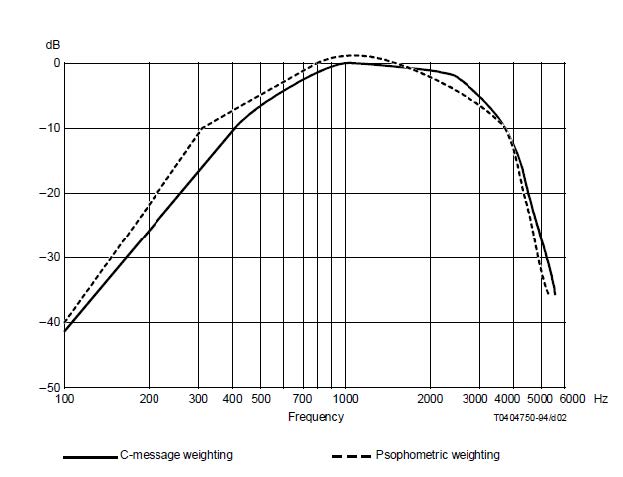
Fig. 10 Comparison between Psophometric and C-message weighting